
Snow Leopard Monitoring
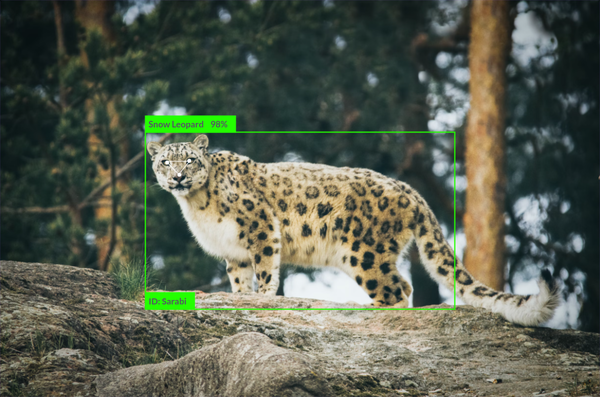
Non-invasive snow leopard monitoring using computer vision analysis of camera trap photos to identify individual animals.
A free, open-source desktop app that turns a folder of camera-trap images into living ecological insight, entirely offline.
What started as a prototype is now Biowatch: a free, open-source desktop application that lets conservationists analyze, visualize, and explore camera trap datasets entirely offline. It runs on Windows, macOS, and Linux, and your sensitive wildlife data never leaves your computer.
Camera traps have transformed wildlife monitoring: they gather huge volumes of data non-invasively and at low cost. But AI that classifies the species in those images only solves half the problem. Conservationists still have to spot spatial patterns, track activity over time, and turn millions of detections into ecological insight, often without specialist software or a dedicated data team.
Most tools stop at classification, or live on the web behind accounts and uploads. Biowatch is different. It’s a desktop app that keeps your data private, handles large datasets without lengthy uploads, and works in remote field locations. Installation is a simple double-click with no technical expertise required, and unlike web platforms such as Wildlife Insights, nothing ever leaves your machine.
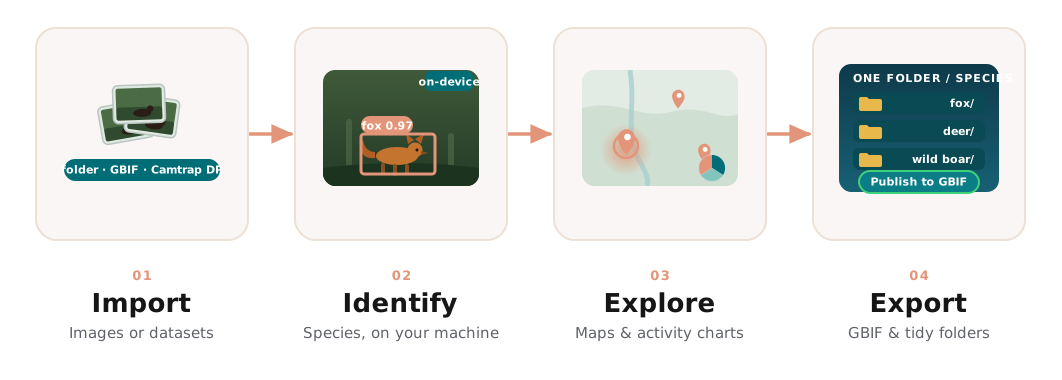 From raw images to a published study: import from anywhere, identify species on
your own machine, explore patterns in space and time, then export to open
standards, all without your data leaving your computer.
From raw images to a published study: import from anywhere, identify species on
your own machine, explore patterns in space and time, then export to open
standards, all without your data leaving your computer.
Biowatch turns a folder of raw camera trap images, or a published dataset, into an interactive study you can explore.
Scan a folder of your own images, open a Camtrap DP package, or pull curated datasets straight from GBIF and LILA BC, with Wildlife Insights and DeepFaune CSV exports included.
Run AI models locally to detect and identify animals as a study builds: SpeciesNet (Google, 2,000+ species), MegaDetector (Microsoft), DeepFaune (CNRS, Europe) and Manas (Himalayan snow leopards), with a coverage map to pick the right one for your region.
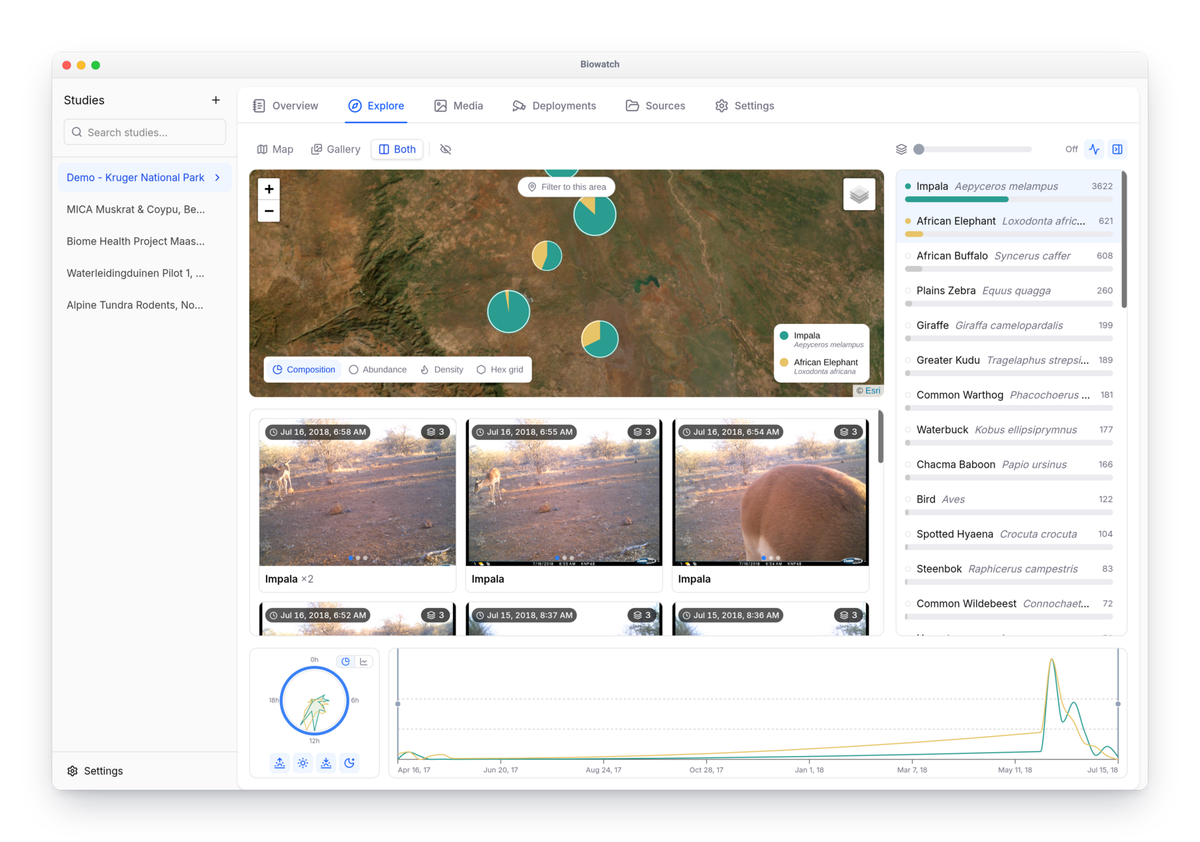
See camera locations as species pie-charts, abundance, density heatmaps or hex grids, alongside daily-activity clocks and seasonal timelines, and filter species to compare their distributions and patterns.
Step through images in a gallery viewer, adjust bounding boxes, and fix AI predictions before they ever become observations.
Per-camera activity timelines and heatmaps, with editable metadata you can export and re-import as CSV.
Publish to GBIF as a Camtrap DP package, or export media organized into one tidy folder per species.
Everything runs locally. No cloud uploads, no accounts, no tracking. That’s ideal for the sensitive location data of endangered species.
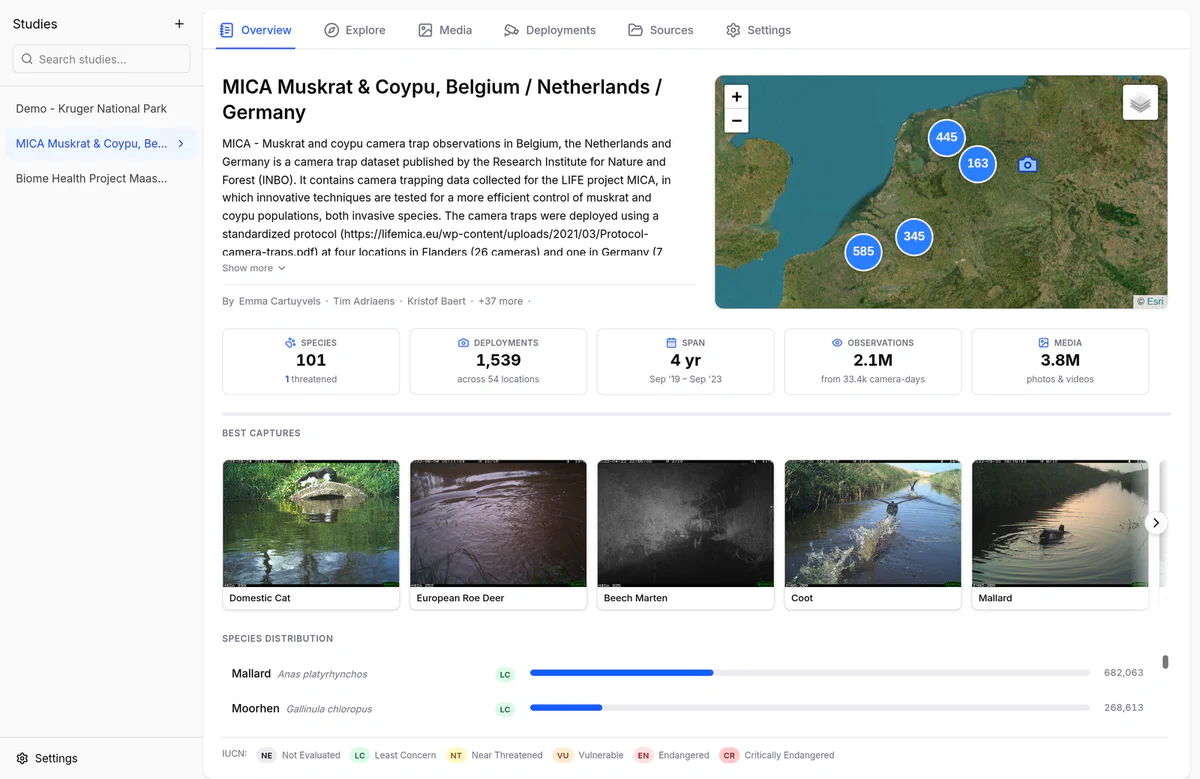
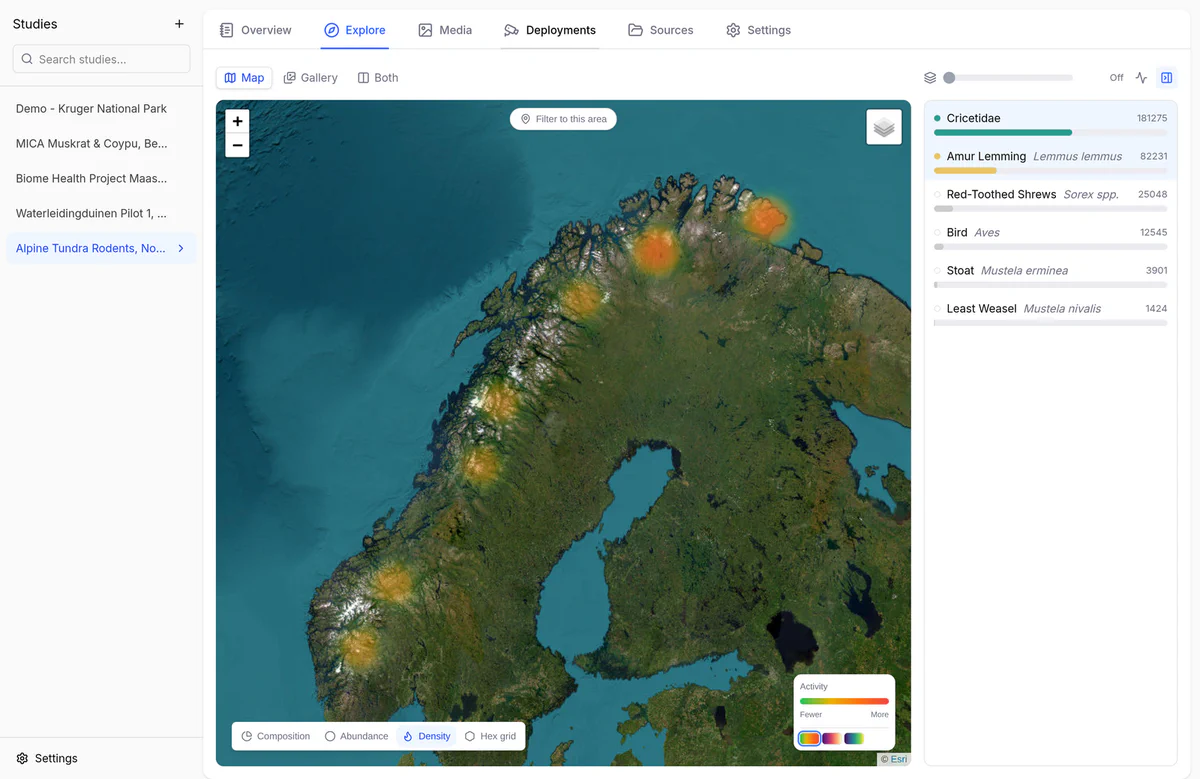
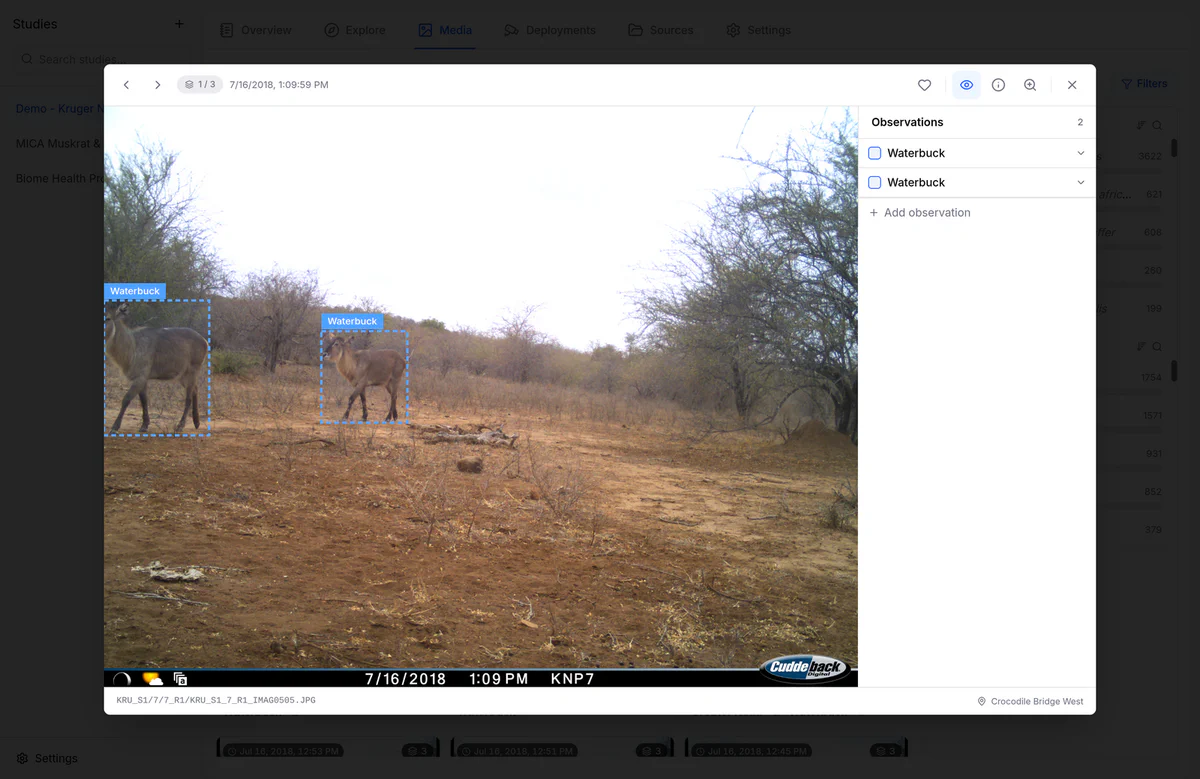
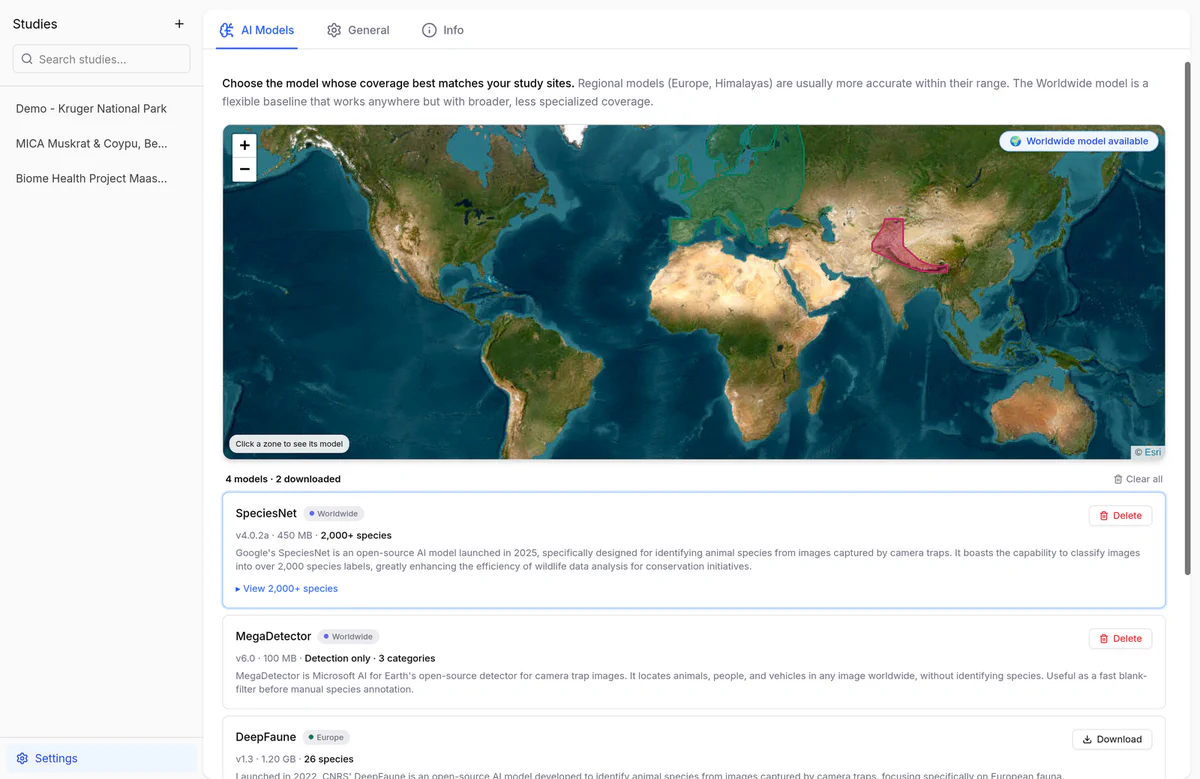
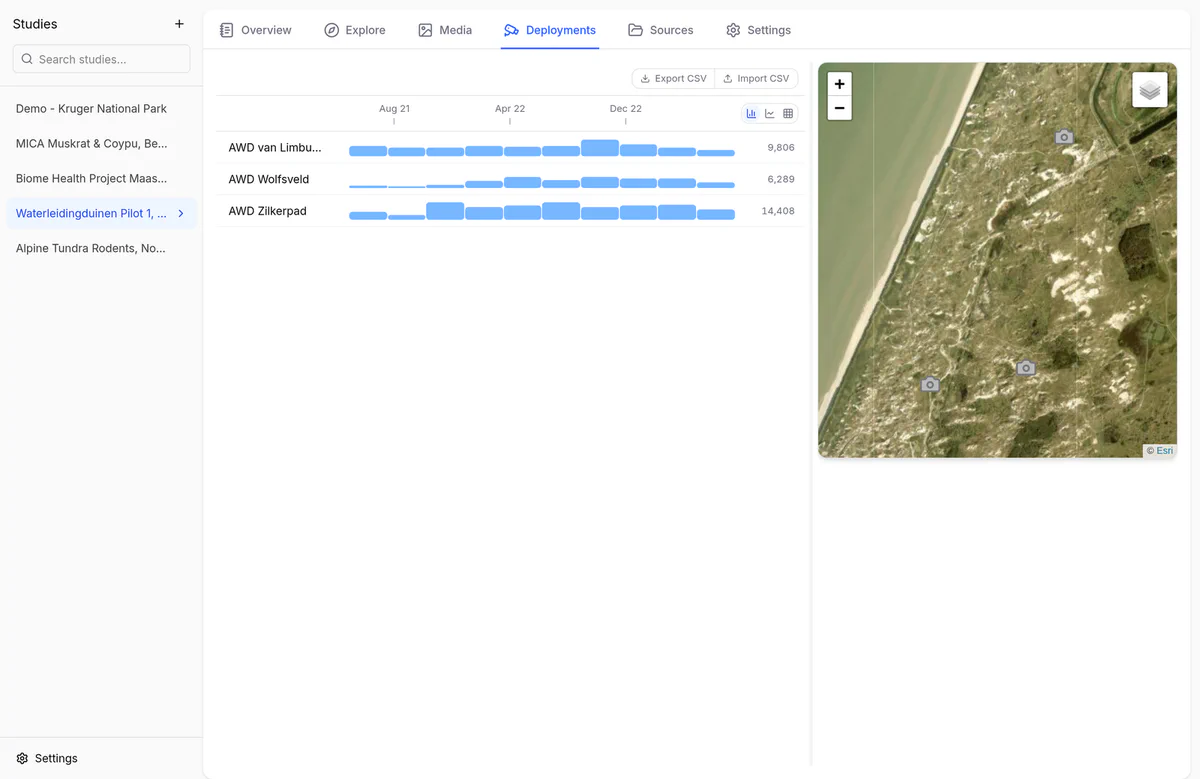

A glimpse of Biowatch in action. Explore the full online manual for guided walkthroughs.
Biowatch is free to download for Windows, macOS, and Linux, and the full source is on GitHub for anyone to inspect, use, or improve. Built together with conservation partners, it closes the gap between AI classification and practical insight, making wildlife monitoring more effective, more private, and more accessible.
We build conservation technology with partners in the field. Tell us what you're monitoring and we'll tell you what's possible.
Non-invasive snow leopard monitoring using computer vision analysis of camera trap photos to identify individual animals.
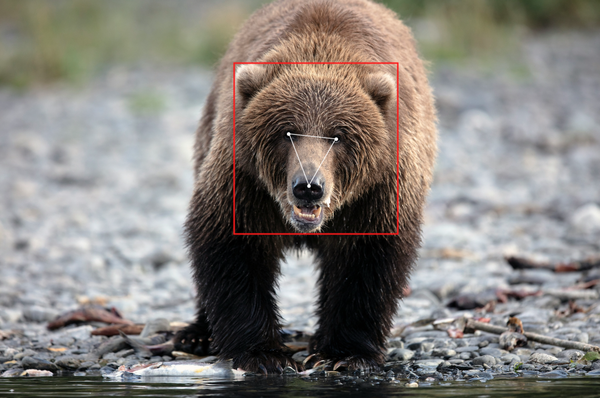
Noninvasive technologies to identify and monitor bears, facilitating their conservation.
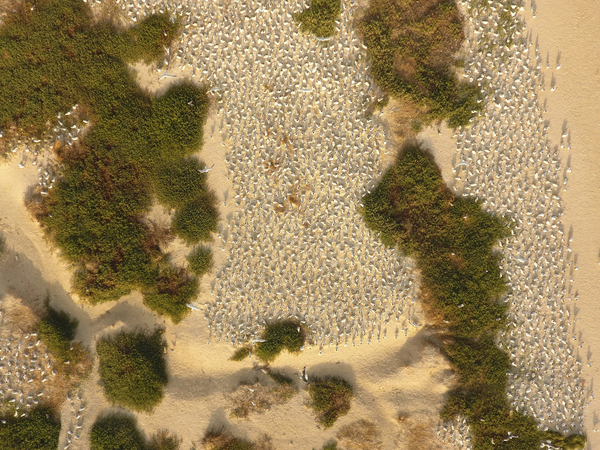
Utilize drones for precise monitoring of breeding seabird colonies by detection of live and dead adults and chicks to determine survival and reproduction and asses the impact of avian influenza.
Facial recognition that tells individual bears apart from photos, tracking British Columbia's black bear population over time.
Identifying individual snow leopards by their coat patterns to support conservation across Central Asia.
An in-depth look at the systems developed and deployed to track the journey of wild salmon as they return to their natal streams.
Detecting bears in real time using low-power technology.
Detecting bears in real time using low-power technology.