

On this page
In this post we’ll walk through the technical development of a bear face segmentation system, a critical component of the bear identification system built in close collaboration with the BearID Project NGO.
Our research and software tool will provide a replicable technique and general approach that can be applied to other species beyond bears, which could aid conservation efforts worldwide.
– BearID Project
For the full picture, here is the bear identification pipeline. Tap through for the project:
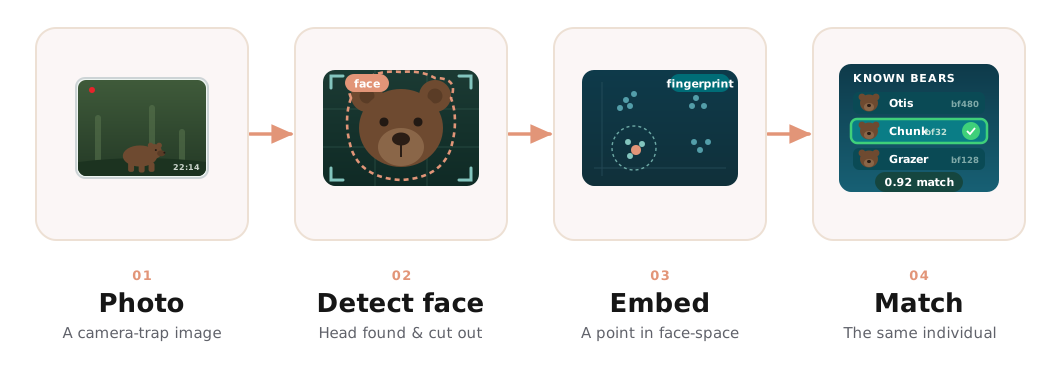 Face segmentation is the “detect face” stage of the wider pipeline
Project Scope
While many species boast distinctive fur patterns for identification, brown bears lack consistent and unique markings. Furthermore, their weight can fluctuate significantly between seasons and throughout their lifetimes. Consequently, facial recognition emerges as a valuable alternative for individual identification.
In this article, our focus lies on the initial stage of the bear identification system, which involves bear face instance segmentation.
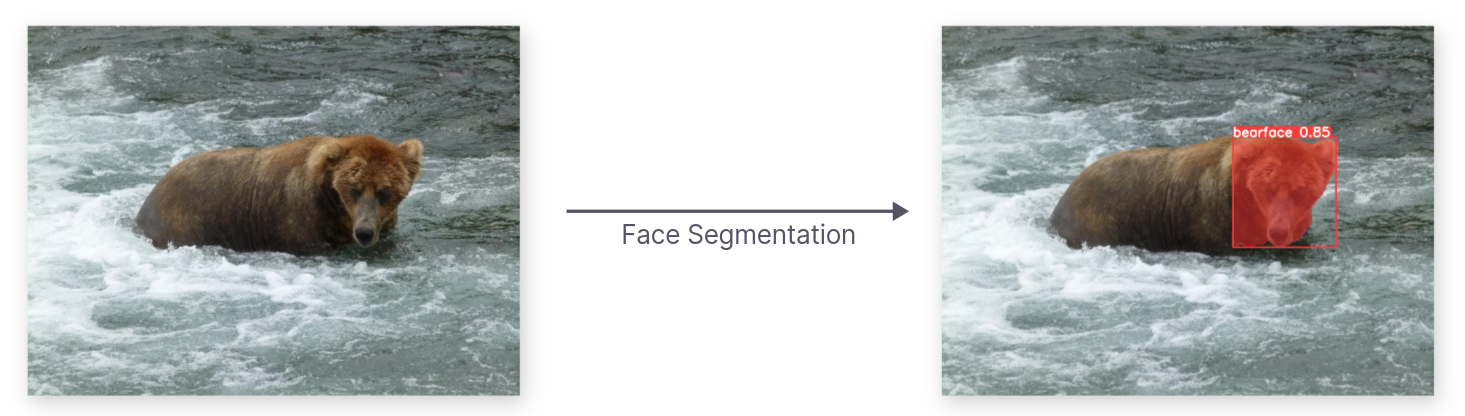 Bear Face Instance Segmentation
The computer vision model responsible for localizing and segmenting bear faces must operate with high accuracy. Consistency in providing the system with accurate bear face data is crucial for the development of a robust bear face identification system.
Provided Dataset
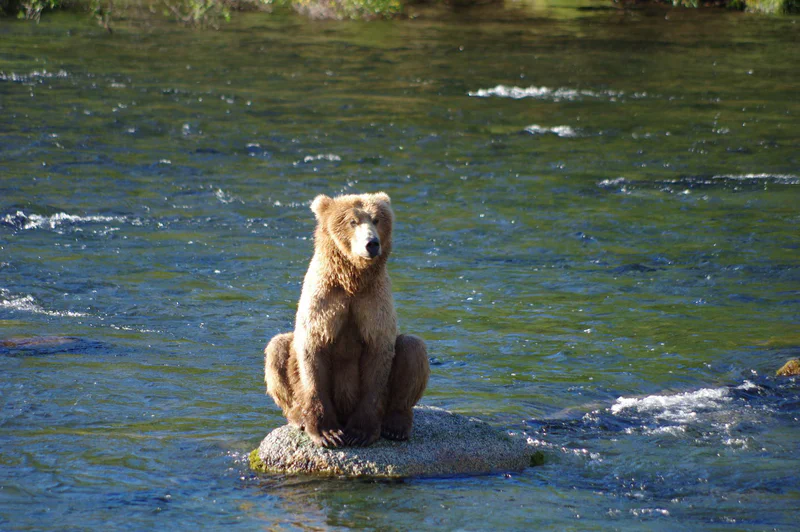
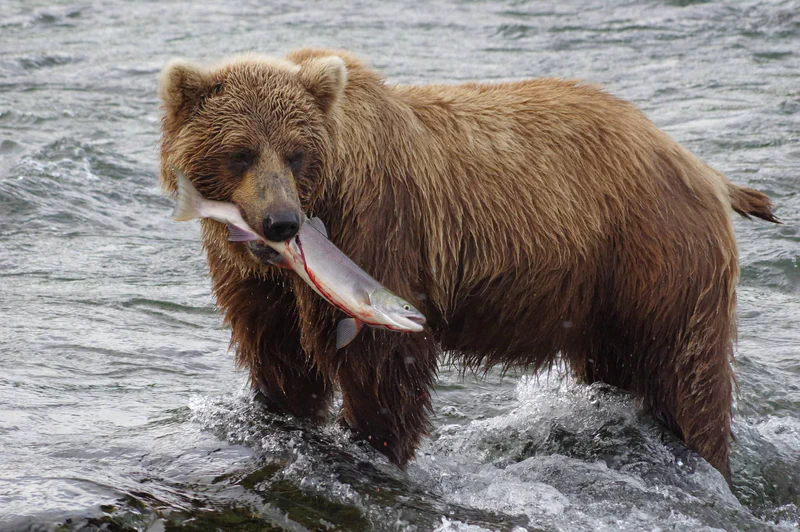
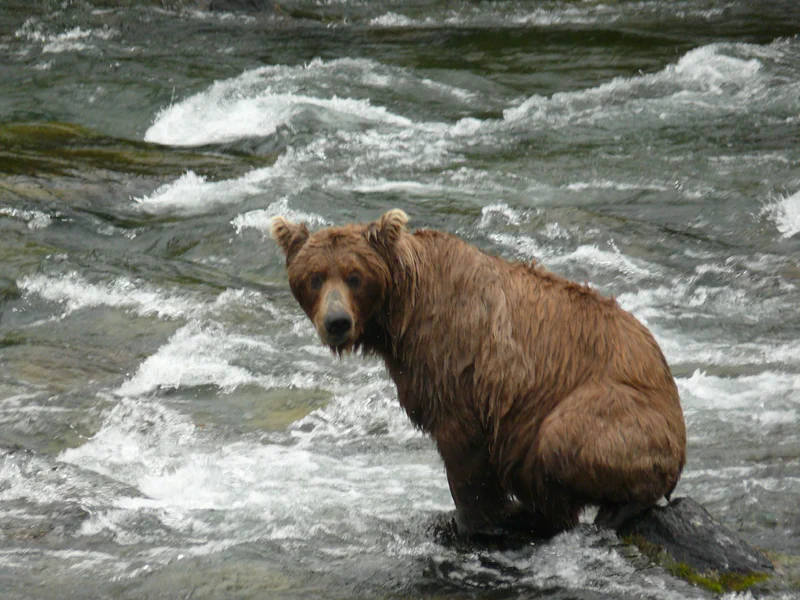
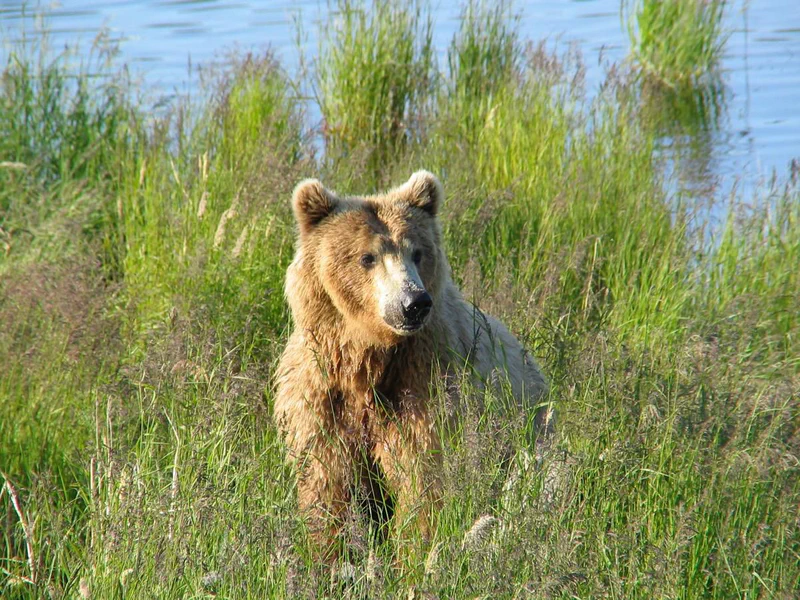
The BearID Project has compiled a collection of approximately 3400 bear images, showcasing their facial features, captured over recent years in forests across British Columbia and Brooks Falls.
Exploratory Data Analysis
Before modelling, we explored the dataset to understand what we were working with, and, importantly, where the provided labels fell short.
Data quality issues
Inaccurate bounding boxes and facial landmarks
Each bear image is accompanied by the following labels:
- Bear identification string: such as Amber, Beatrice, Bella, etc.
- Bounding boxes outlining bear heads.
- Facial landmarks: including the left eye, right eye, nose, mouth, left ear, and right ear.
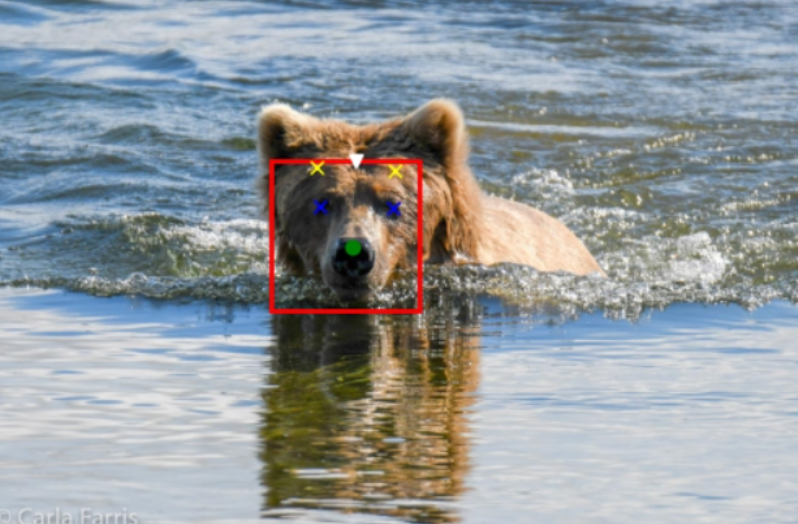
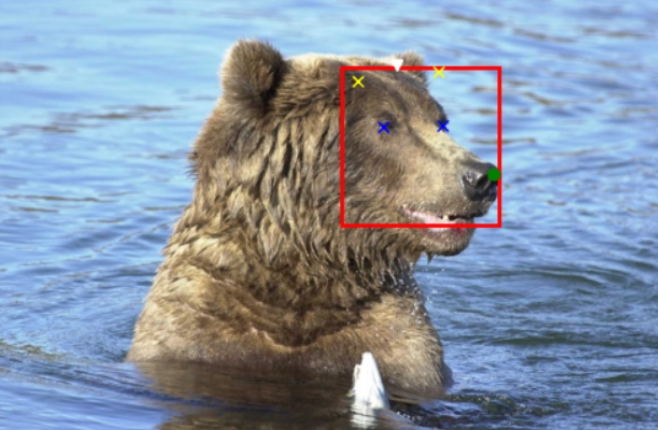
The provided bounding boxes and facial landmarks, generated by the Dlib library, may not always be highly accurate. Further information about the development process and its backstory can be found here.
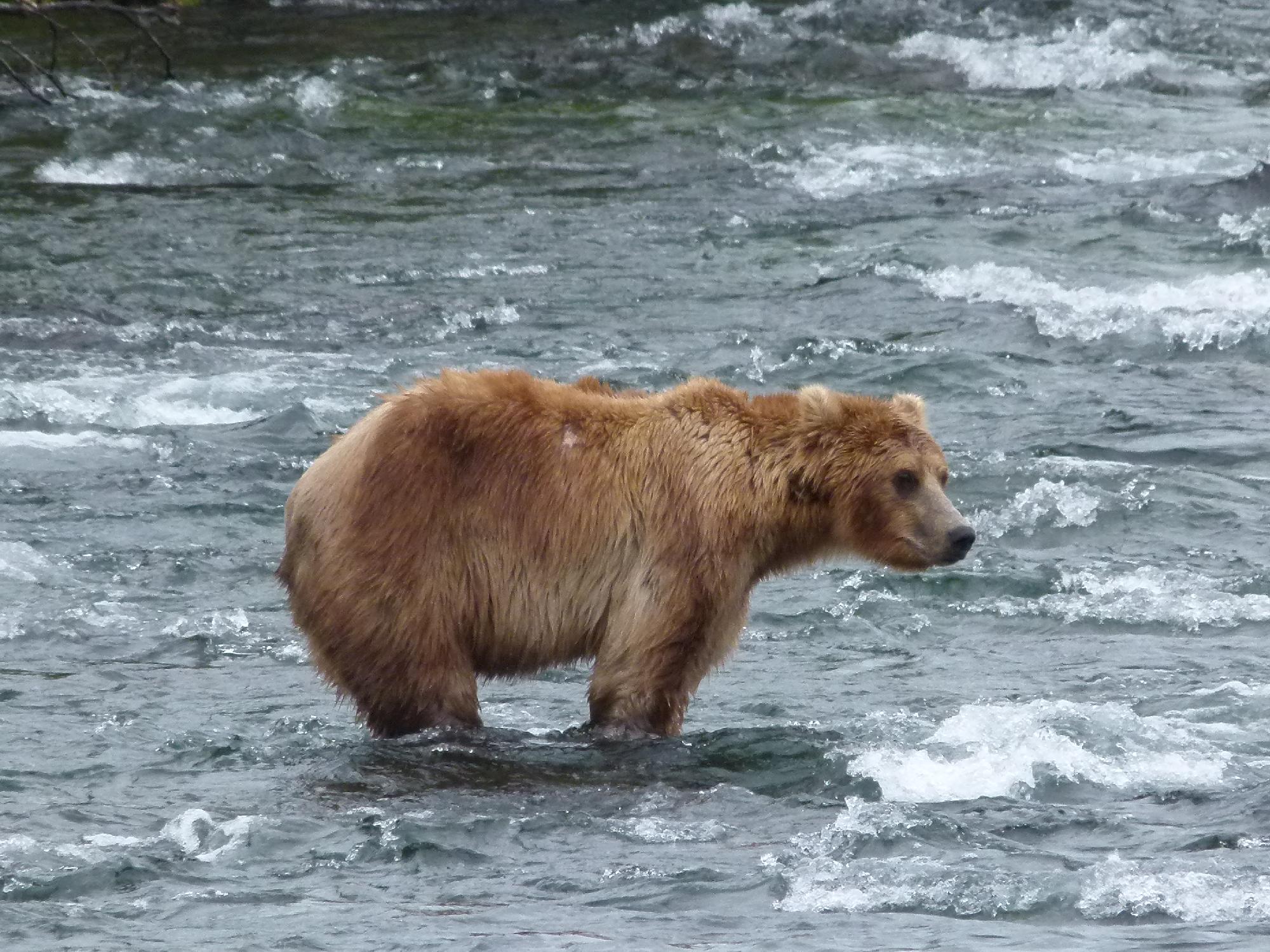
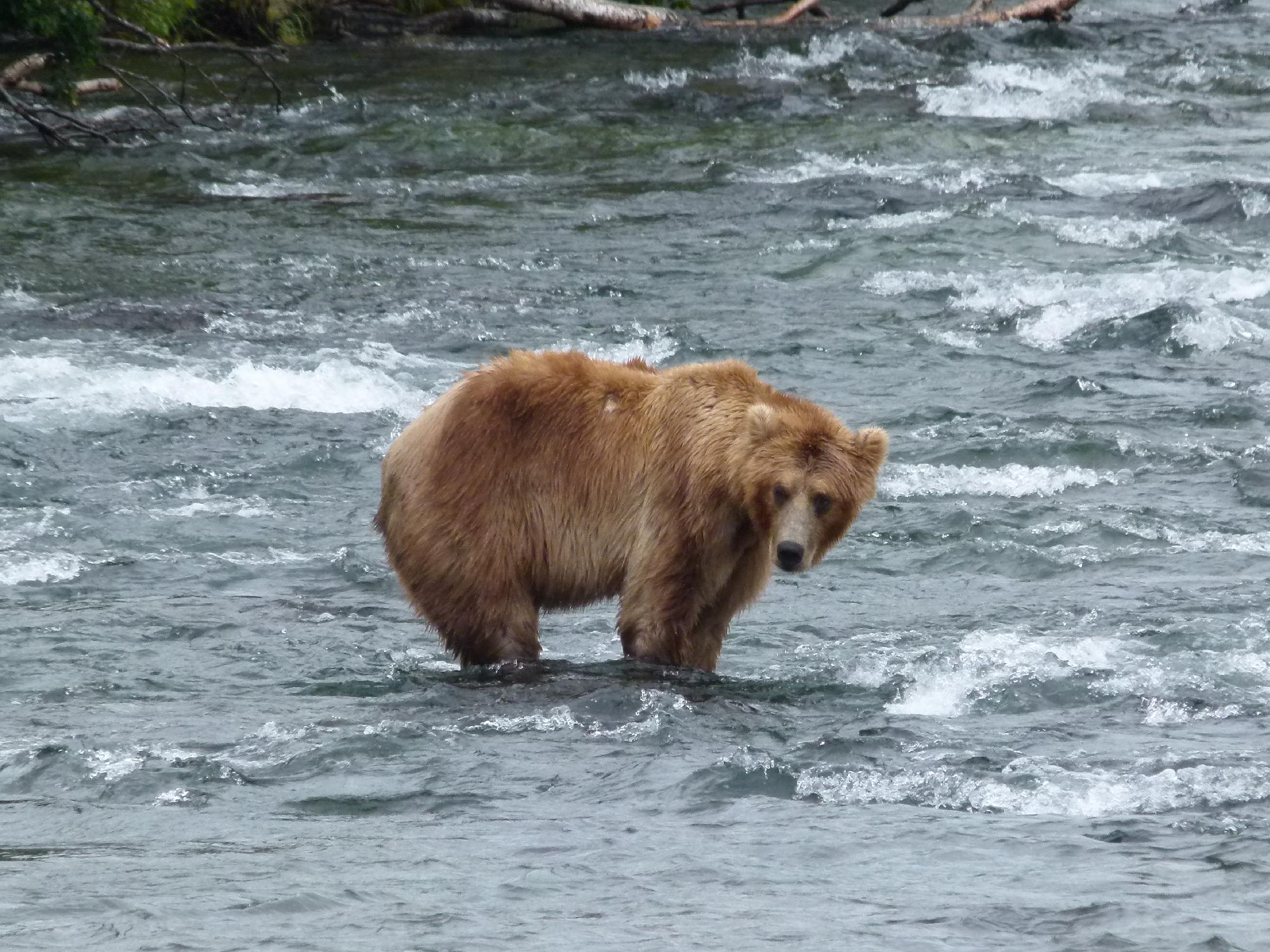
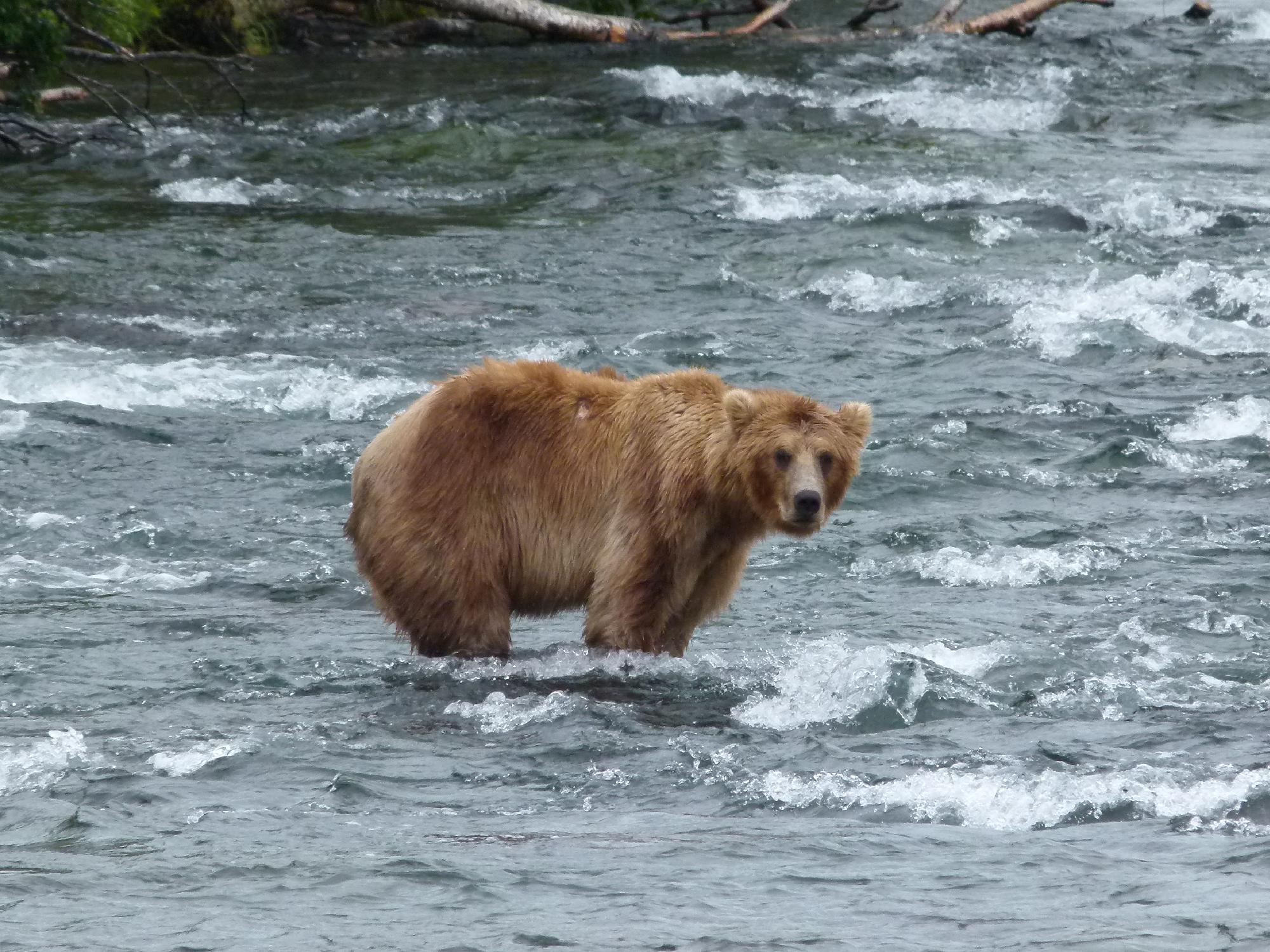
Bursts of images
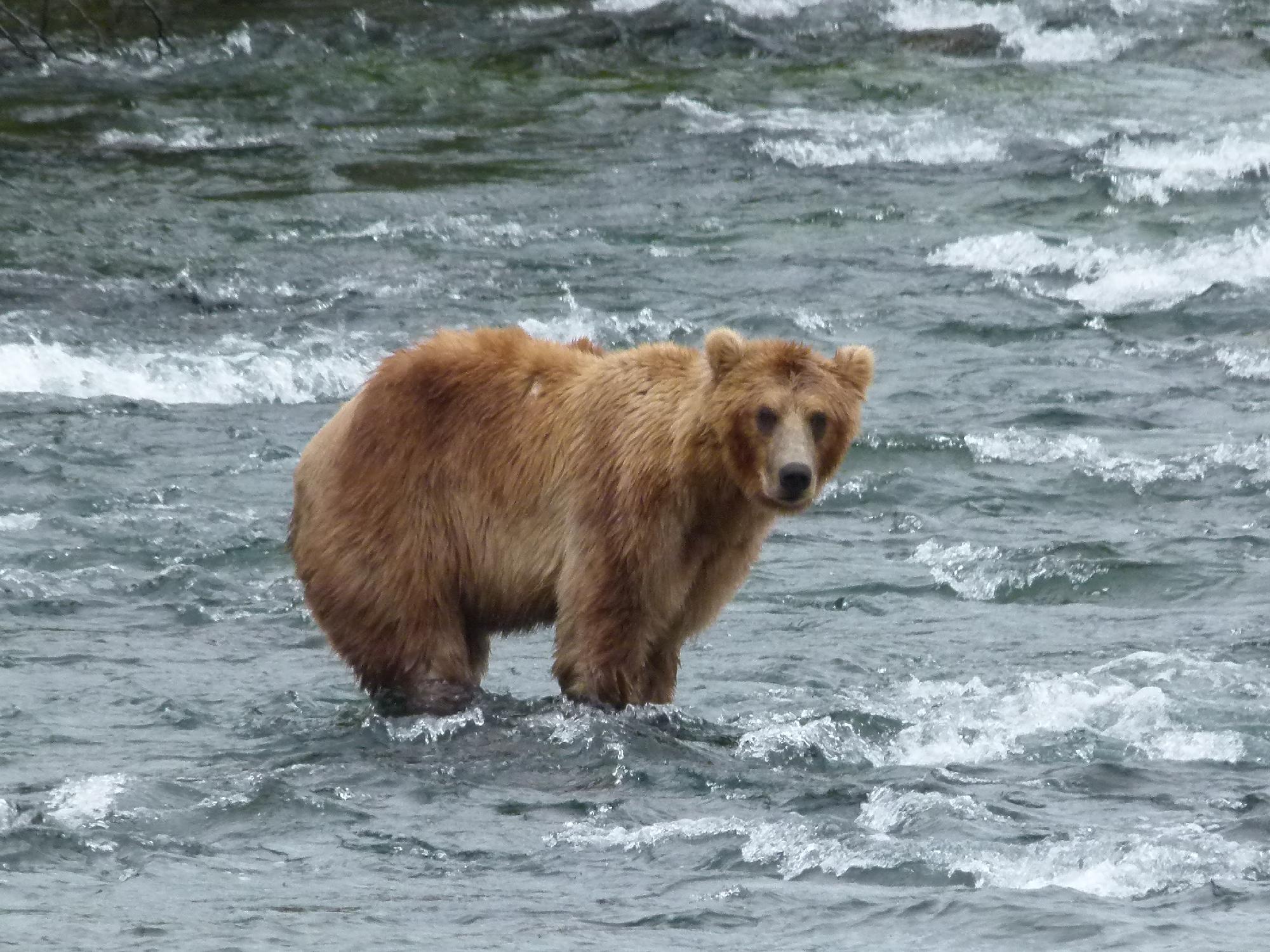
When encountering a bear, photographs or camera traps often capture multiple images of the same individual in very similar poses. Proper handling of these bursts of images during data splitting is crucial. Neglecting this step may lead to train/test data leakage, which can cause the model to inaccurately overreport its performance.
Data Annotation
Bounding Boxes
To effectively train a bear face segmentation model, we first require high quality bounding boxes for each provided image.
During this stage, we evaluated several options for generating bear bounding boxes, including Roboflow and GroundingDINO.
Manual Annotations - Roboflow
To facilitate the relabeling of the bear dataset, we utilized Roboflow, a platform designed to streamline the labeling process. The labeling task was delegated to a team of four annotators, each provided with clear instructions on how to accurately segment a bear’s face.
Adjust the bounding box to accurately encompass the entire bear head, ensuring it covers both ears, the nose and the mouth. Strive for a compact bounding box that encapsulates the complete head and fur while minimizing unnecessary space.
Labeling instructions
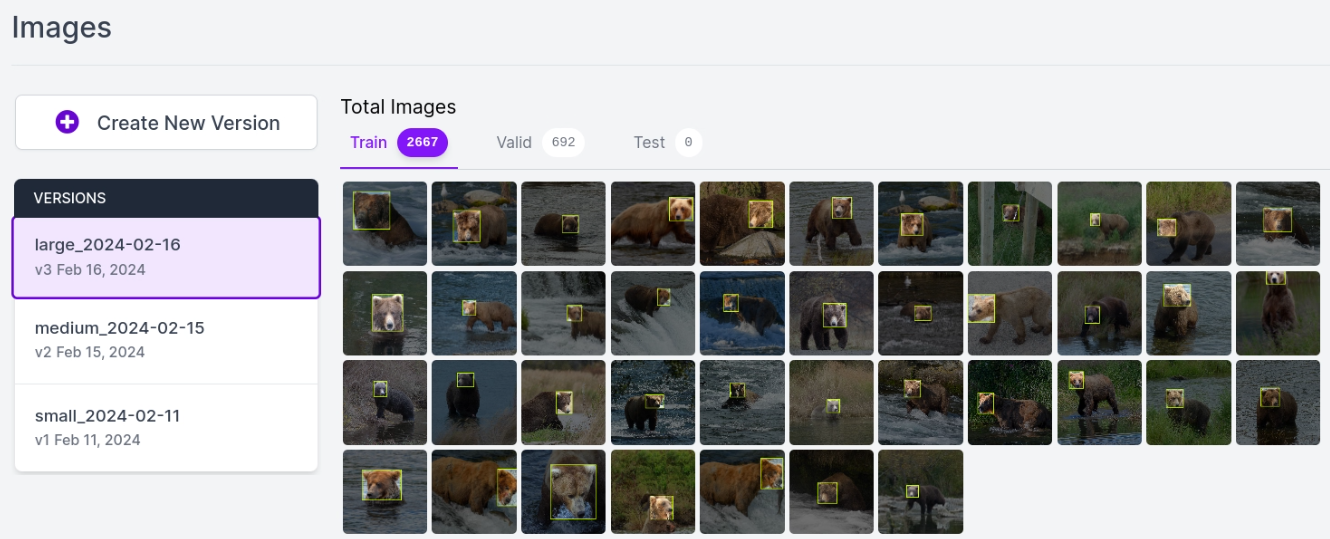 A Roboflow annotation session
GroundingDINO
 GroundingDINO is a multimodal model that combines a Vision Transformer
(ViT) with language grounding. By tying a text prompt to visual features, it
detects and localizes objects from a free-text description rather than a fixed
list of classes, so you can ask it for "head of bear" directly.
GroundingDINO is a multimodal model that combines a Vision Transformer
(ViT) with language grounding. By tying a text prompt to visual features, it
detects and localizes objects from a free-text description rather than a fixed
list of classes, so you can ask it for "head of bear" directly.
$$\mathit{IoU} = \dfrac{A \cap B}{A \cup B}$$
was employed to assess the accuracy of GroundingDINO-generated bounding boxes.
A histogram illustrating the distribution of IoU scores was generated. Remarkably, 95% of GroundingDINO’s predictions exhibited an IoU greater than 68%, indicating its proficiency in localizing bear faces
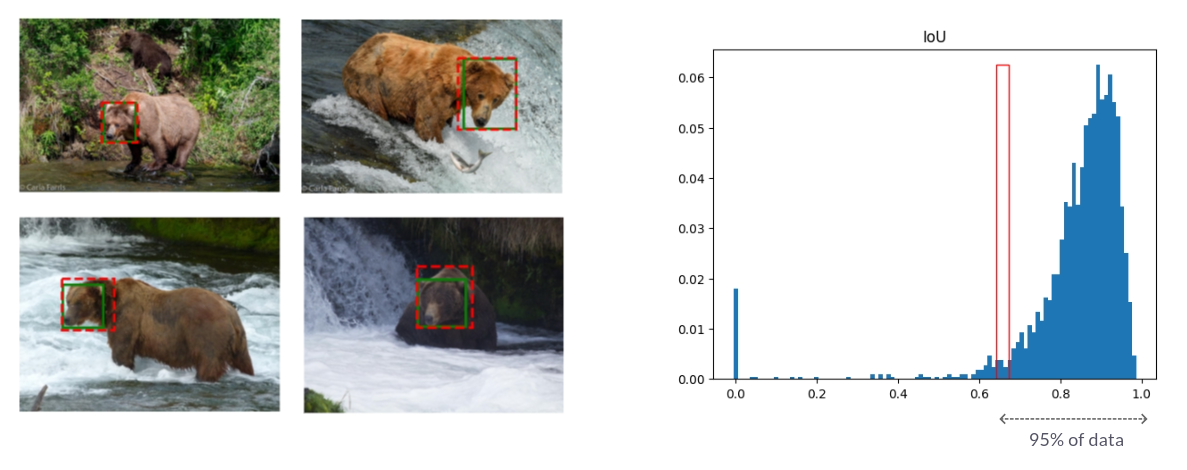 GroundingDINO IoU Evaluation / Green bboxes are manual labels while red bboxes
are generated by GDINO
GroundingDINO IoU Evaluation / Green bboxes are manual labels while red bboxes
are generated by GDINO
In future projects akin to this one, the labor-intensive task of manually labeling bounding boxes around bear faces could potentially be automated using tools akin to GroundingDINO, given its demonstrated high accuracy.
Segmentation Masks with SAM
To effectively train a bear face segmentation model, we require a segmentation mask for each provided image. The relabeled bounding boxes represent the initial step toward obtaining segmented bear heads.
The Segment Anything Model (SAM) produces high quality object masks from input prompts such as points or boxes, and it can be used to generate masks for all objects in an image. It has been trained on a dataset of 11 million images and 1.1 billion masks, and has strong zero-shot performance on a variety of segmentation tasks.
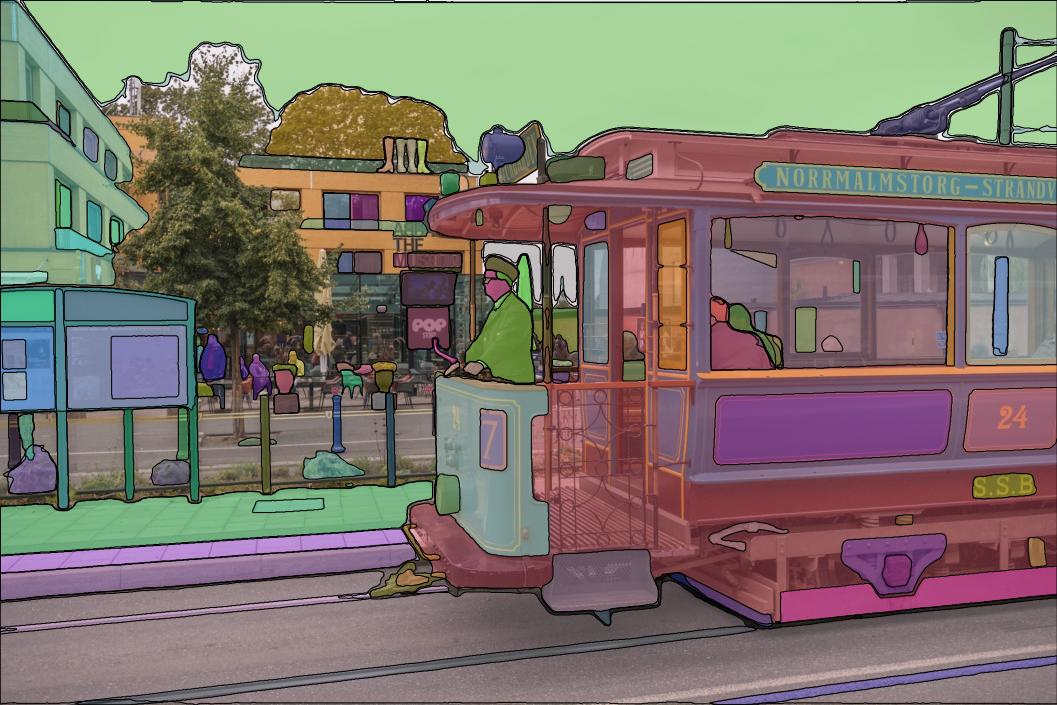 SAM Github / SAM output example
We utilized a subset of the provided facial landmarks to instruct SAM in segmenting the complete bear bodies. Our assessment revealed that using the three facial landmarks (nose, left eye, and right eye) proved accurate enough to generate high-quality bear body masks.
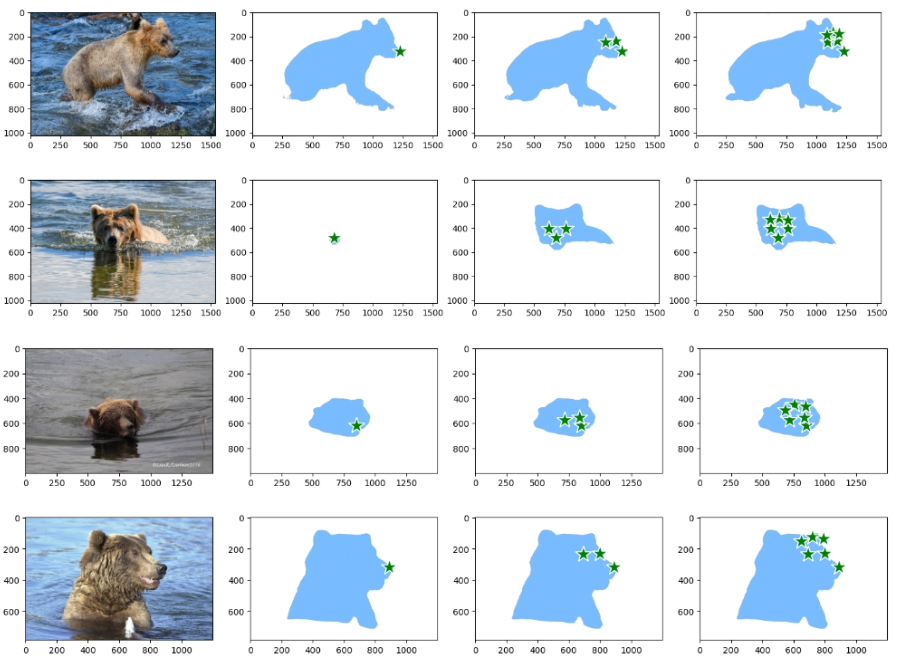 Prompting SAM with facial landmarks to segment bear bodies
The image below summarizes the approach taken to generate the segmented bear heads, combining bounding boxes and SAM.
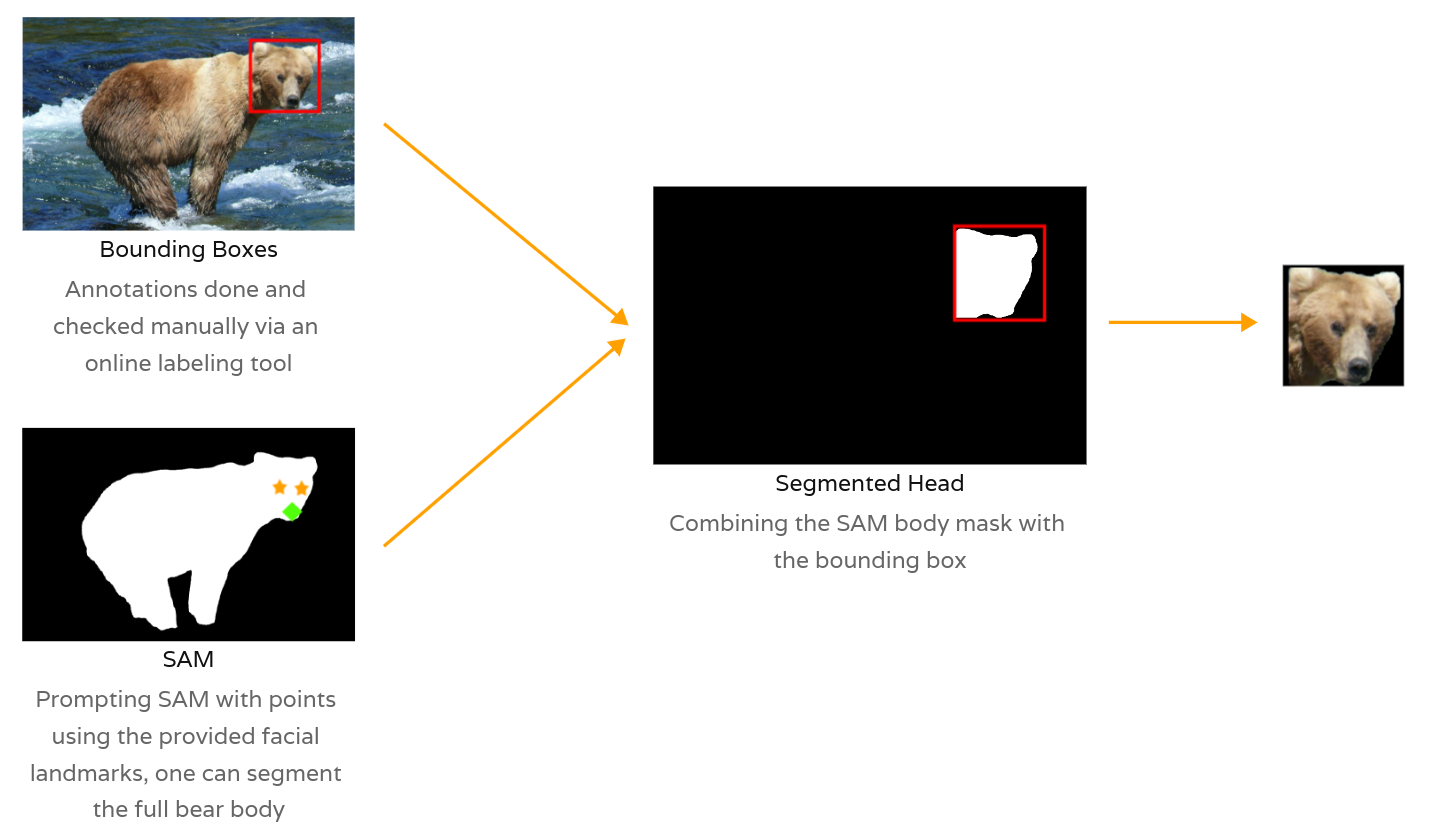 Generating Bear Face Masks combining bboxes and SAM
Data Modeling
Data Split
To mitigate the risk of train/test data leakage caused by the bursts of images mentioned earlier, we identified two straightforward options for conducting the data split: either by date or by individual.
Instance Segmentation
The task at hand is now framed as an instance segmentation problem, where the model is tasked with learning to identify and outline bear faces within input images.
But what exactly is instance segmentation? Let’s say you have a picture of a park filled with people, trees, and benches. While basic object detection recognizes these elements, instance segmentation takes it a step further. It not only identifies the presence of people, trees, and benches but also discerns each individual instance of these objects. For example, if there are three people in the park photo, instance segmentation will label and outline each person separately. This detailed segmentation enables the computer to not only recognize what objects are in the image but also precisely locate each instance of those objects.
Evaluation Metrics
To evaluate the performance of our model, we are monitoring the following metrics across multiple training runs on both the train and validation sets:
- Box(P, R, mAP50, mAP50-95): This metric provides insights into the model’s performance in detecting objects:
- Mask(P, R, mAP50, mAP50-95): This metric provides insights into the
model’s performance in segmenting objects:
- P (Precision): The accuracy of the segmented objects, indicating how many detections were correct.
- R (Recall): The ability of the model to identify all instances of objects in the images.
- mAP50: Mean average precision calculated at an intersection over union (IoU) threshold of 0.50. It’s a measure of the model’s accuracy considering only the “easy” detections.
- mAP50-95: The average of the mean average precision calculated at varying IoU thresholds, ranging from 0.50 to 0.95. It gives a comprehensive view of the model’s performance across different levels of detection difficulty.
Further documentation is available here.
YOLOv8
Overview
We took a pretrained YOLOv8 model and fine-tuned it for our instance segmentation task. YOLOv8 is fast, accurate, and easy to work with, and it handles a range of tasks: object detection, tracking, instance segmentation, image classification, and pose estimation.
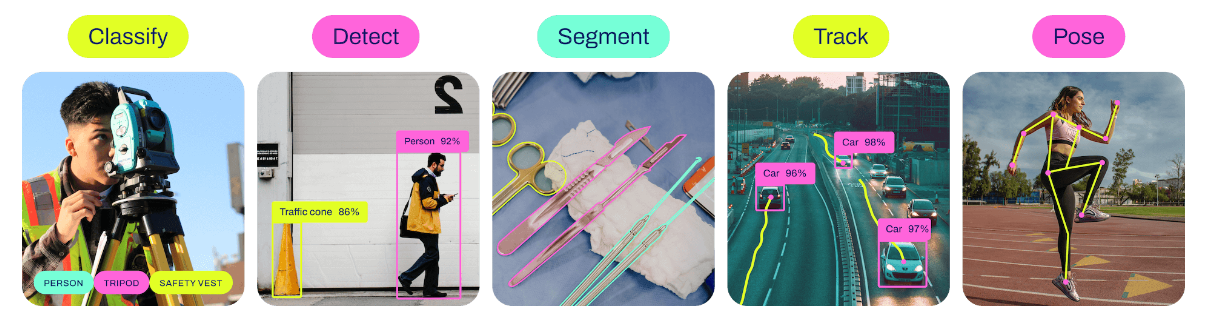 YOLOv8 Computer Vision Tasks
Training
After initially training a baseline model for a few epochs on the dataset, we selected a model size of ’nano’ and fine-tuned it for 40 epochs using the default augmentation settings provided by the YOLOv8 framework.
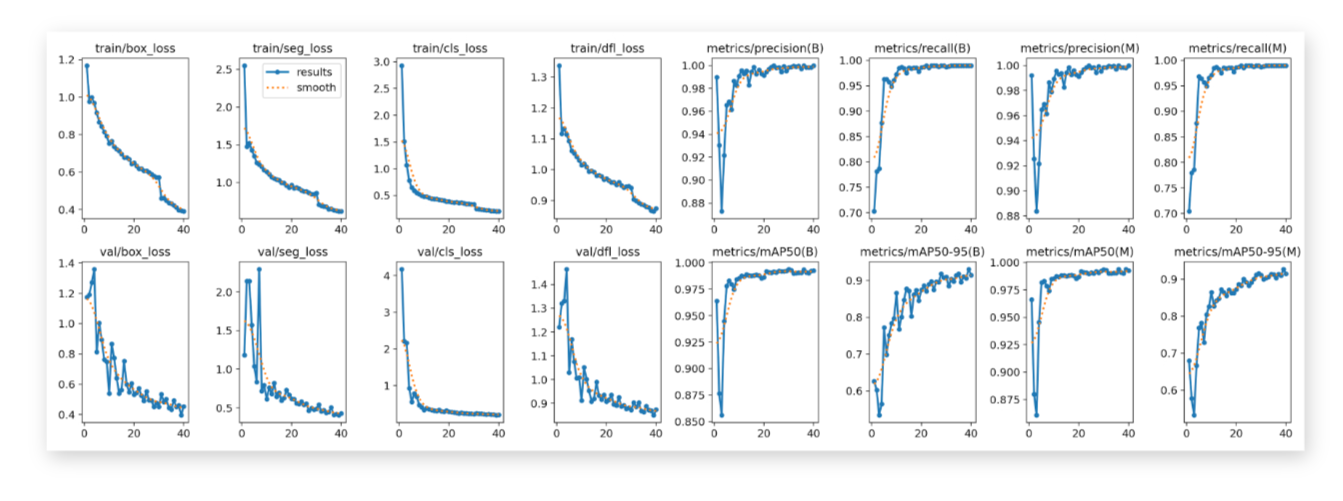
Evaluation
We analyze the precision-recall curve on the test set to evaluate the model’s performance objectively. Additionally, we examine the predicted masks to qualitatively assess the model’s performance.
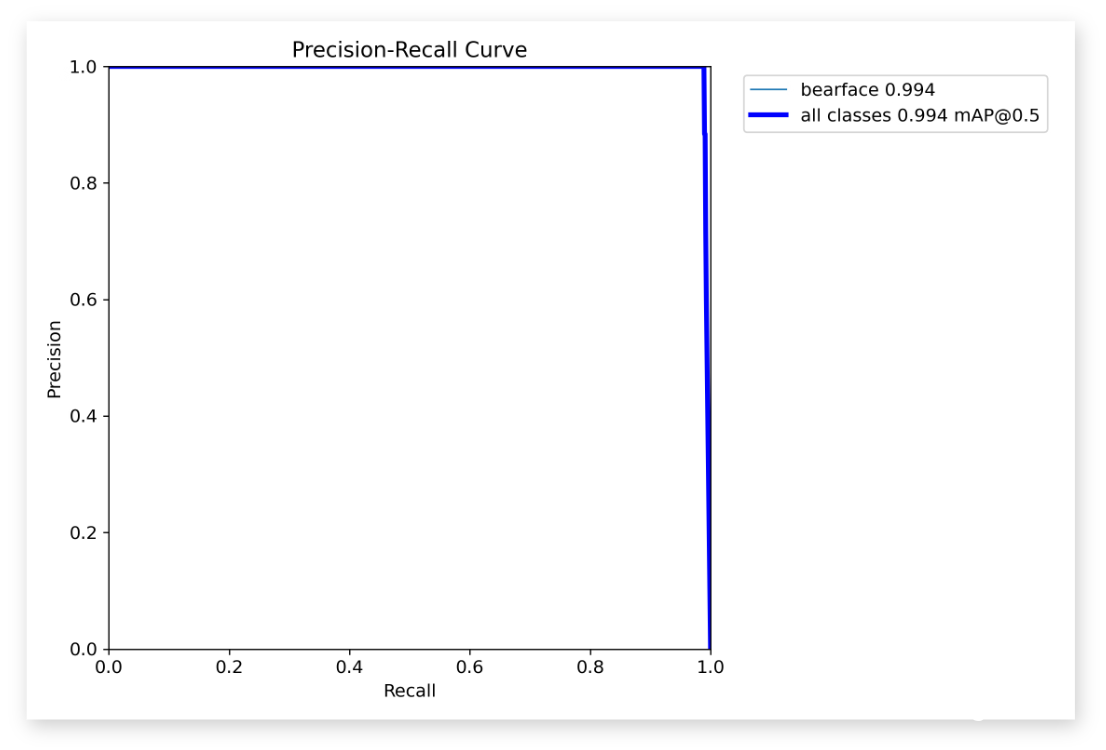 Quantitative Results / Precision Recall Curve
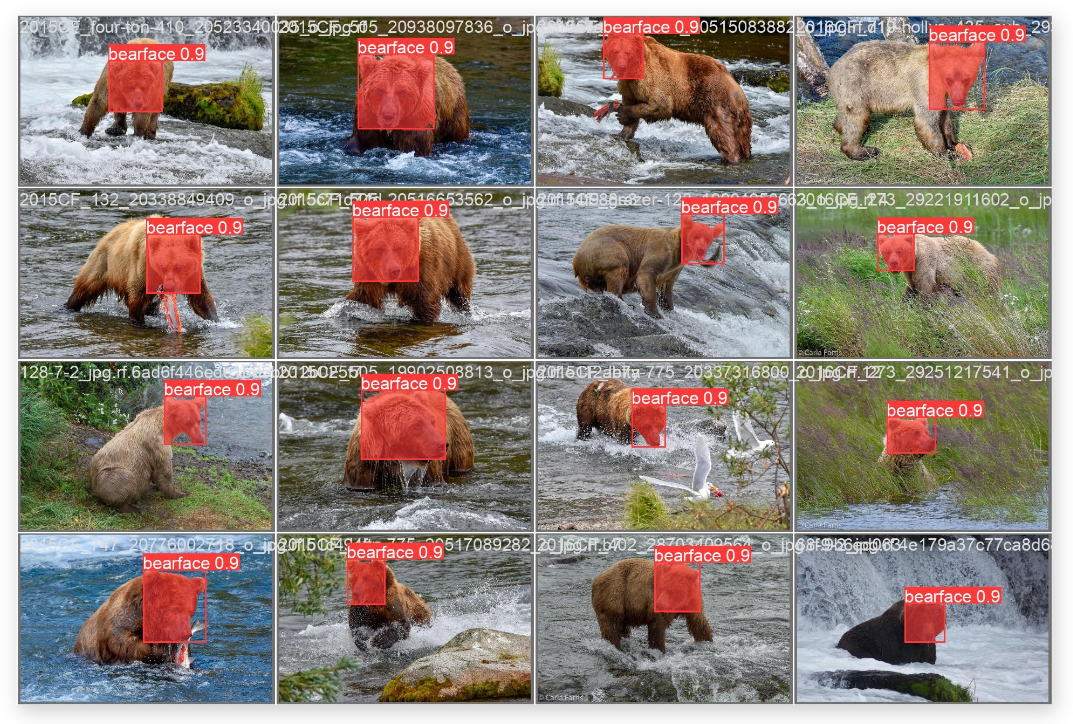 Qualitative Results / Samples of Predicted Masks
Thus, the fine-tuned YOLOv8 model showcases exceptional accuracy in bear face instance segmentation, laying the foundation for a robust bear identification system.
Conclusion
The fine-tuned instance segmentation model cleanly cuts out bear faces, laying a solid foundation for the rest of the bear identification system, and the same approach transfers to other species.
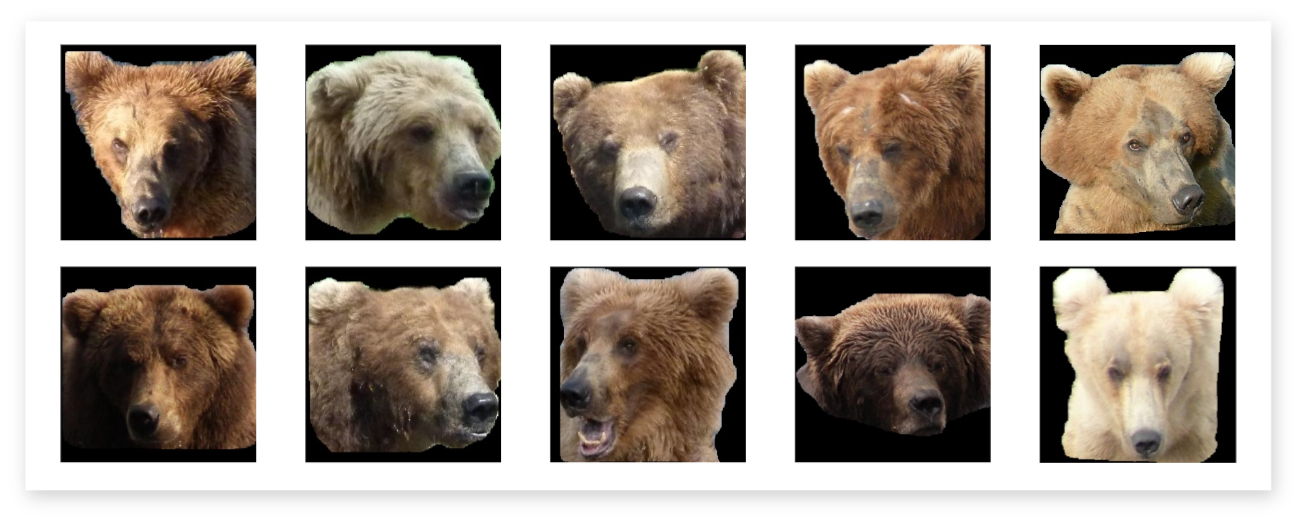 Segmented bear faces produced by the model
See the full picture
Face segmentation is just the first stage. Explore the complete bear identification project, from a camera-trap photo all the way to a recognised individual.
View the project